
 Google Play

 App Store
Set It Once. Pause Anytime.
Pick a date and an amount from ₹100. Pause, change the amount or stop whenever life changes.
Bring in the funds you already own from any app, keep a monthly SIP going, and see every rupee next to your spending, tax and savings. One more step on your path to your first ₹10 lakh, with Kuber.AI beside you.






 Your portfolioLiveEquity fundIndex fundTax savingLiquid fund
 Kuber.AIPulled in funds from 6 fund houses ✓
Fund houses on Simplify Money






No more opening four apps to see one portfolio.
Bring in funds from any app or fund house with your PAN.
SIPs from ₹100 that move with your month.
Pick a fund, enter an amount, slide to pay.
See funds beside spending, tax and savings.
Share your PAN and phone number, confirm with an OTP, and every fund you hold shows up in one view, whichever app or fund house you used.
Read-only. Linking shows what you own. Nothing is bought, sold or moved.
Equity fundHDFC Mutual Fund✓ LinkedIndex fundSBI Mutual Fund✓ LinkedTax saving (ELSS)ICICI Prudential Mutual Fund✓ LinkedLiquid fundAxis Mutual Fund✓ Linked
Kuber.AIOnlineAsk Kuber.AIKuber.AI explains mutual funds in plain words, right inside the app. It helps you understand your options. You make the call.
Hover or tap a card to flip it.
Not sure which type is which? Ask Kuber.AI →
Pick a date and an amount from ₹100. Pause, change the amount or stop whenever life changes.
Pick a fund, enter an amount from ₹100, slide to pay. Units show up in your portfolio once allotted.


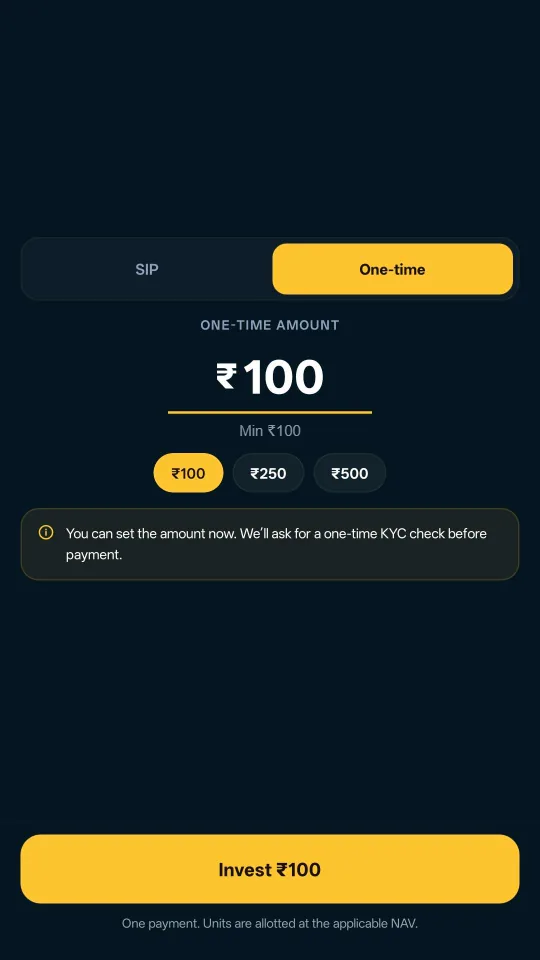
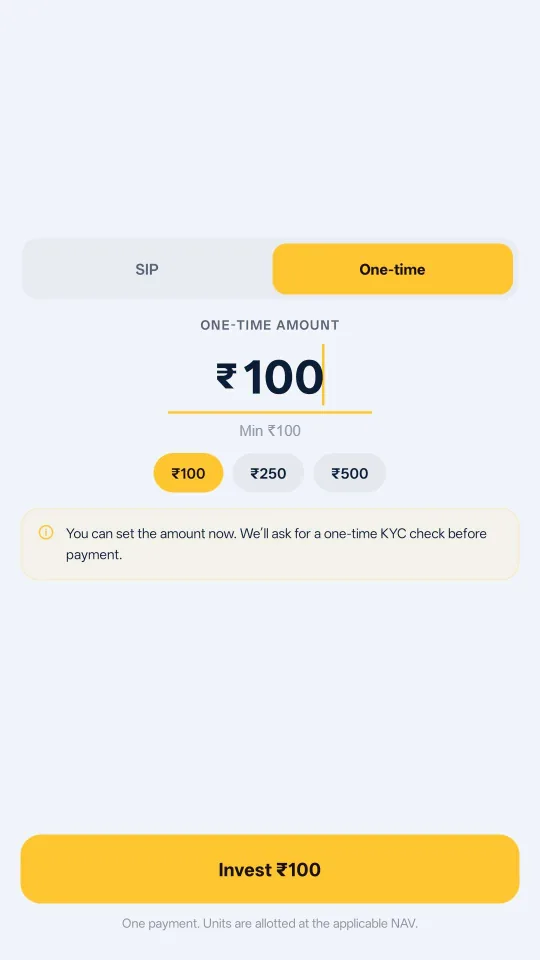
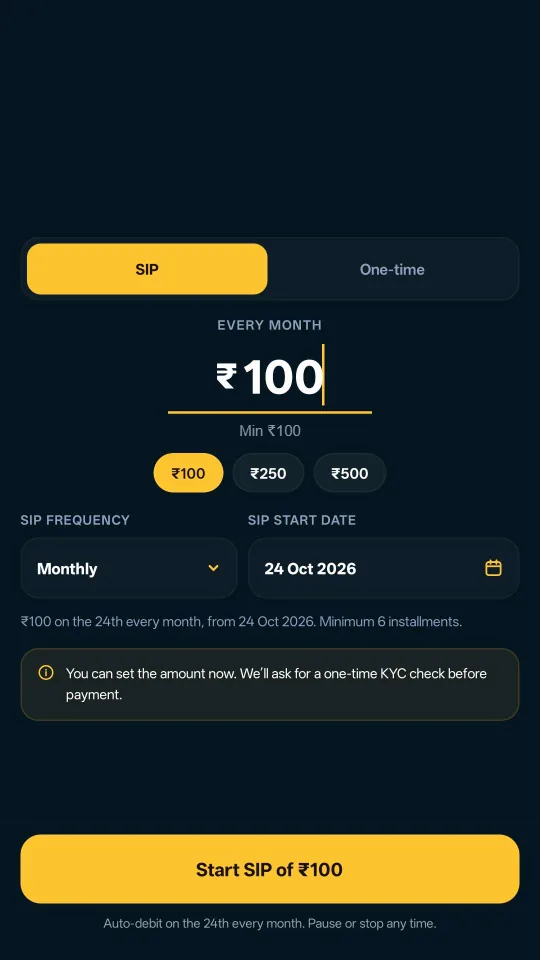
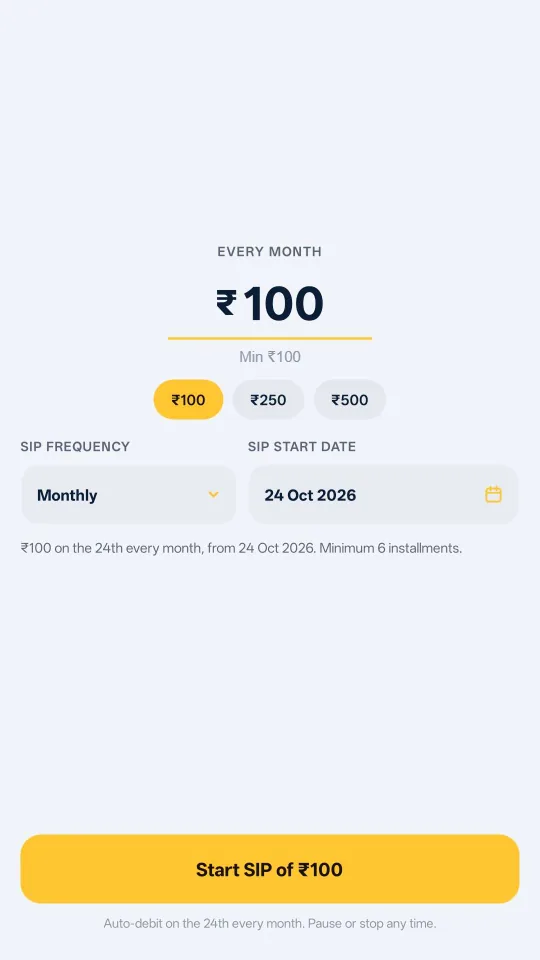
Sample screens for illustration.
Yes. You can invest a lumpsum or start a SIP in funds from the fund houses on the platform, right inside the app. Distribution is handled by Simplify Money Private Limited, an AMFI-registered mutual fund distributor. Finish a one-time KYC and you are ready to go.
Enter your PAN and phone number, then verify with the OTP we send. Every fund linked to that PAN, whichever app or fund house you used, then shows up together in one portfolio.
Linking is read-only and happens only with your OTP consent. It shows what you own; nothing is bought, sold or moved. Your data is protected with bank-grade encryption and is never sold.
Yes. You can pause a SIP for a while, change its amount or date, or stop it from the app whenever you want, without setting up a new one. SIPs start from ₹100 a month.
Yes. Mutual funds need a one-time KYC before your first investment. If you are already KYC-verified through another app or fund house, it usually carries over, so you can start in a few taps.
No. We do not recommend funds. Kuber.AI can explain fund types, terms like NAV and exit load, and how SIPs work, so you can understand your options and make your own decision.
Still curious?Ask Kuber.AI anything about mutual funds →
Link your funds, start a SIP or invest a lumpsum, all in one place.
Mutual fund investments are subject to market risks, read all scheme-related documents carefully. Mutual fund distribution through Simplify Money Private Limited, AMFI ARN-363095.









 Play Store
 App Store

 Play Store
 App Store